ORD Terminals Explained: Which One Do You Actually Need
O'Hare has four main terminals and a confusing layout. Here's how to figure out which one you need before you leave home, not at the airport.
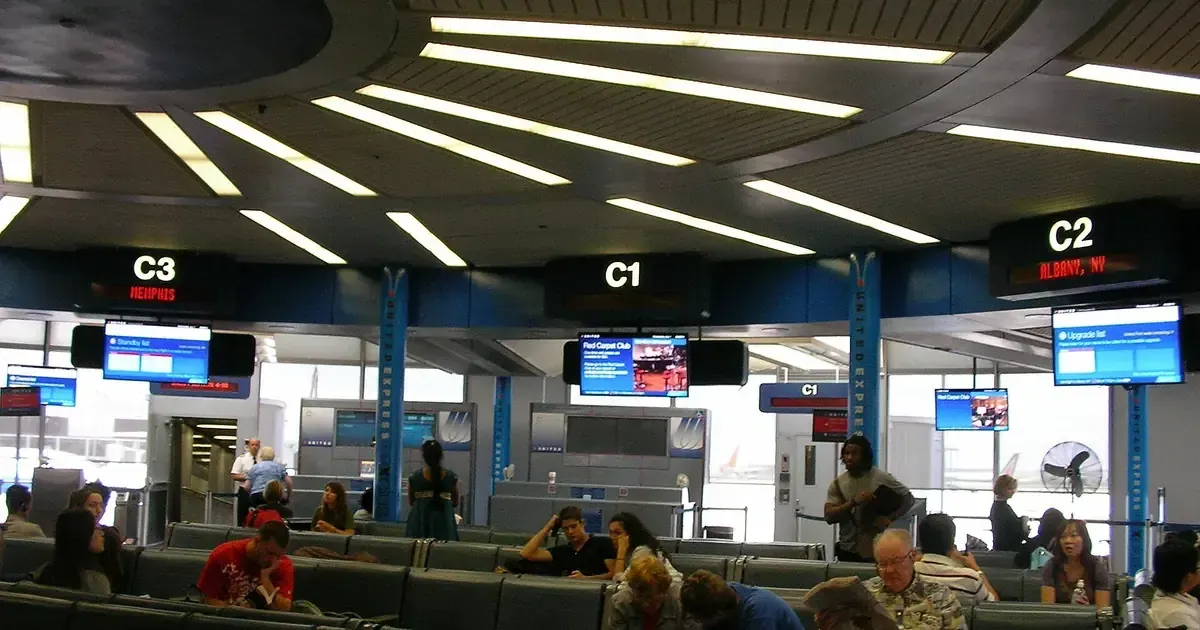
O’Hare is the kind of airport where showing up at the wrong terminal turns a 90-minute arrival buffer into a sprint. The layout isn’t complicated once you know it, but “once you know it” is doing a lot of work in that sentence. Let me break it down so you don’t learn it the hard way.
The four-terminal layout
ORD has four main terminals — 1, 2, 3, and 5. There is no Terminal 4, which trips people up before they’ve even left the house. Each terminal is tied to a set of airlines, and that’s what determines where you need to be: not your destination, not your gate number, your airline. Get the airline right and the terminal follows.
Terminal 5 is the one to know about. It’s O’Hare’s international terminal, and it does not connect airside to 1, 2, and 3. If you’re departing from 5, or connecting through it, you’re dealing with a different building and a landside transfer — not a walk down a concourse.
The mistake people make is assuming they’ll figure it out at the airport. You won’t, not quickly. The signage is fine once you’re inside, but the curbside drop-off doesn’t tell you much, and if your rideshare drops you at the wrong door, you’re walking.
Confirm your airline’s terminal the night before
This is the single highest-leverage thing you can do at O’Hare. The night before your flight, pull up your airline’s website or your boarding pass and confirm the terminal. Airlines occasionally shift terminals, and a stale memory from a flight you took two years ago will get you in trouble.
If you’re connecting through ORD rather than originating there, the same rule applies in reverse: know which terminal your connecting flight leaves from before you land, so you can head the right direction the moment you deplane.
Moving between terminals: it works, but it costs time
The terminals are connected, which is the good news. The bad news is “connected” at O’Hare’s scale means 15 to 25 minutes of walking if you’re at the wrong one and have to relocate. There’s an automated transit system that helps for some terminal-to-terminal moves, but it’s not instant and it doesn’t cover every pair.
The practical implication: if you’re picking up someone arriving at ORD, ask them which terminal they landed at before you head to the airport. “I’m at O’Hare” is not enough information.
The map matters more than the signs
Once you’re inside the right terminal, the static signs will get you to your gate eventually, but the interactive ORD map is faster. It shows you where the food is, where the restrooms are, where the lounges are, and, importantly for the arrival math, where the security checkpoints are.
That last point matters more than people realize, because the walk to your checkpoint is part of your arrival buffer whether you budgeted for it or not.
What the wait data says about your arrival time
O’Hare’s TSA line peaks at 30 minutes, on Sundays at 3 PM, per FlyIndex’s checkpoint data. That’s a moderate number for an airport this size — LAX peaks at 25, Miami at 46, Atlanta at 45. O’Hare is not where you get destroyed by a security line.
Where O’Hare is genuinely good is the floor. It logs 28 quiet hours a week, with the softest readings at 2 AM, 1 AM, and 10 PM. Compare that with JFK, which has none at all. A late-evening departure out of ORD is a materially different experience from a Sunday afternoon one, and the 10 PM slot is the underrated one — it’s the only quiet hour on that list you’d actually choose to fly in.
So the arrival math is less about the checkpoint than about the terminal:
| Situation | Buffer | What you’re paying for |
|---|---|---|
| Domestic, off-peak, terminal confirmed | 2 hours | A 30-minute worst case you probably won’t hit |
| Domestic, Sunday afternoon | 2 hr 30 min | The weekly peak, plus weekend curb traffic |
| International out of Terminal 5 | 3 hours | Bag-drop cutoffs and a terminal that stands alone |
| Terminal unconfirmed | Add 25 minutes | The wrong-terminal walk |
The full hourly grid is on the ORD TSA wait times page. One caveat worth stating plainly: our data is reported at the airport level, not per checkpoint, so treat these as O’Hare-wide numbers rather than a Terminal 1 versus Terminal 3 comparison.
Arriving from abroad is the harder number
If you’re landing at O’Hare internationally, the checkpoint isn’t your problem — customs is. ORD’s immigration wait peaks at 78 minutes on Sundays at 4 PM, more than double the TSA peak and among the longest of any U.S. gateway.
Stack that against a domestic connection and the math gets ugly fast: clear immigration, collect a bag, re-drop it, move from Terminal 5 to your departure terminal landside, and screen again. A 90-minute connection does not survive that on a Sunday afternoon. Give it three hours, and check the ORD immigration wait times against your inbound arrival before you book it.
A quick decision tree
- Know your airline? → that’s your terminal.
- Not sure? → check your boarding pass or the airline site the night before. Don’t guess.
- Picking someone up? → ask them which terminal, not just “are you at ORD.”
- Connecting? → look up your connecting flight’s terminal before you land.
- Inside and lost? → open the interactive map before you start walking.
The short version
O’Hare’s terminal problem is entirely solvable before you leave home. Your airline determines your terminal, the night-before check takes 30 seconds, and it saves you the 25-minute wrong-terminal walk that turns a relaxed arrival into a jog.
The one that still catches experienced travelers is Terminal 5. It reads like just another number on the departures board, and it isn’t — it’s a separate building with its own security and its own curb. If your boarding pass says 5, plan the trip to O’Hare as though you were flying from a different airport, because functionally you are.
Frequently asked questions
How many terminals does O'Hare have?
O'Hare has four main terminals. Each serves different airlines, and they are connected but require walking or a transit system to move between them.
How do I know which terminal my flight is at ORD?
Check your airline's website or your boarding pass the night before. Your terminal is determined by your airline, not your destination.
Can you walk between terminals at O'Hare?
Yes, the terminals are connected, but walking between them can take 15–25 minutes. The airport also has an automated transit system to move between some terminals.
Is the ORD map available online?
Yes. FlyIndex has an interactive O'Hare map, and the airport's official site also publishes terminal maps.
Sources
- O'Hare International Airport official website
O'Hare International Airport · flychicago.com
- Security Screening
Transportation Security Administration · tsa.gov
Keep reading
 terminalsORD
ORD Terminal 5: The International Terminal Everyone Forgets
O'Hare's Terminal 5 handles the international arrivals, the customs flow, and a surprising share of the airport's dining. Here's how it works.
FlyIndex Editorial terminalsMIAORD
Know Your MIA Terminal Before You Leave for the Airport
MIA runs 5 terminals with a 46-minute Monday noon TSA peak. Verify your airline terminal before leaving and use ORD's 4-terminal contrast to plan curb to gate.
FlyIndex Editorial terminalsORD
O'Hare Terminal 2 Has the Smallest Food Floor at ORD
Terminal 2 at O'Hare has four restaurants and connects to Terminals 1 and 3 airside. Here's what's there, what isn't, and where you should walk instead.
FlyIndex Editorial